


Former pro setup · Fortnite
Zyfa Gaming Setup
aka Brian 'zyfa' Wielgolaski
Brian 'zyfa' Wielgolaski currently has more than 135K Twitch followers and 25.5K YouTube subscribers.
Last updated
- Main gameFortnite
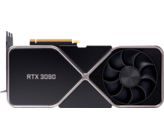
- GPUNVIDIA GeForce RTX 3090


As an Amazon Associate we earn from qualifying purchases.

Zyfa gaming gear: mouse, keyboard, headset & monitor
MouseKeyboardHeadsetMonitorMousepad


Zyfa PC - gaming PC configuration
CPUGPUMotherboardMemorySSDCase

Zyfa PC - streaming PC configuration
CPUGPUMotherboardMemory
Why do you need a 2nd PC for streaming like Zyfa?
You don't need two PC's to stream to be a successful streamer, but it does have 2 big advantages:
- Streaming is very intensive and the processing requires a lot of RAM and CPU power. When you offload the streaming to a 2nd PC, it means your gaming PC isn't affected by the streaming processing.
- Your stream stays live when something happens on your gaming PC, like a program or game that locks up, an unexpected Windows update or a blue screen of death. These annoying interruptions happen more than you think and it's very annoying when it takes down your stream too.

Zyfa recording setup and streaming equipment
MicrophoneArmWebcamChair

Frequently asked questions about Zyfa
Who is Zyfa?
Brian 'zyfa' Wielgolaski currently has more than 135K Twitch followers and 25.5K YouTube subscribers.
Where is Zyfa from?
Zyfa was born in United States.
What team did Zyfa play for?
Zyfa used to play for Sentinels.
What games did Zyfa play?
Zyfa played Fortnite and VALORANT.
What gaming PC specs did Zyfa use?
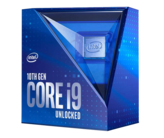
For gaming, Zyfa used an Intel Core i9-10850K CPU with a NVIDIA GeForce RTX 3090 GPU.
What streaming PC specs did Zyfa use?
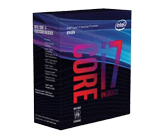
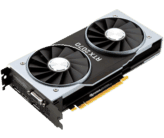
For streaming, Zyfa used an Intel Core i7-8700K CPU with a NVIDIA GeForce RTX 2070 GPU.
More about Zyfa and Zyfa gaming setup
Zyfa was a serious gamer, professional player, and streamer who played battle royale games and first-person shooters. He had a high-quality gaming rig.
Zyfa Gaming PC Build
His gaming rig consists of an Intel Core i9-10850K CPU with a NVIDIA GeForce RTX 3090 graphics card.
Zyfa Streaming PC Build
Zyfa used a separate streaming machine, consisting of an Intel Core i7-8700K CPU with a NVIDIA GeForce RTX 2070 GPU.









User comments on Zyfa (2)
Jaden Stolp
2 months ago
I want his keyboard
Phil
2 months ago
Hey Jaden,
Unfortunately, there are no videos showing the keyboard Brian is using. There's also no public information on that.
Leave a comment
Your email address will not be published. Required fields are marked *